Welcome to Penqwin
Everything you need to successfully launch, configure, and scale your autonomous technical documentation with Penqwin.
Quick Start & Onboarding
Welcome to Penqwin! Penqwin makes it seamless to create, manage, and scale engineering documentation directly linked to your source code. Our agentic parser scans code architecture, interprets functional flows, and keeps documents up-to-date automatically. Follow our step-by-step onboarding guide to set up your workspace and integrate your first repository.
Account Creation & Authentication
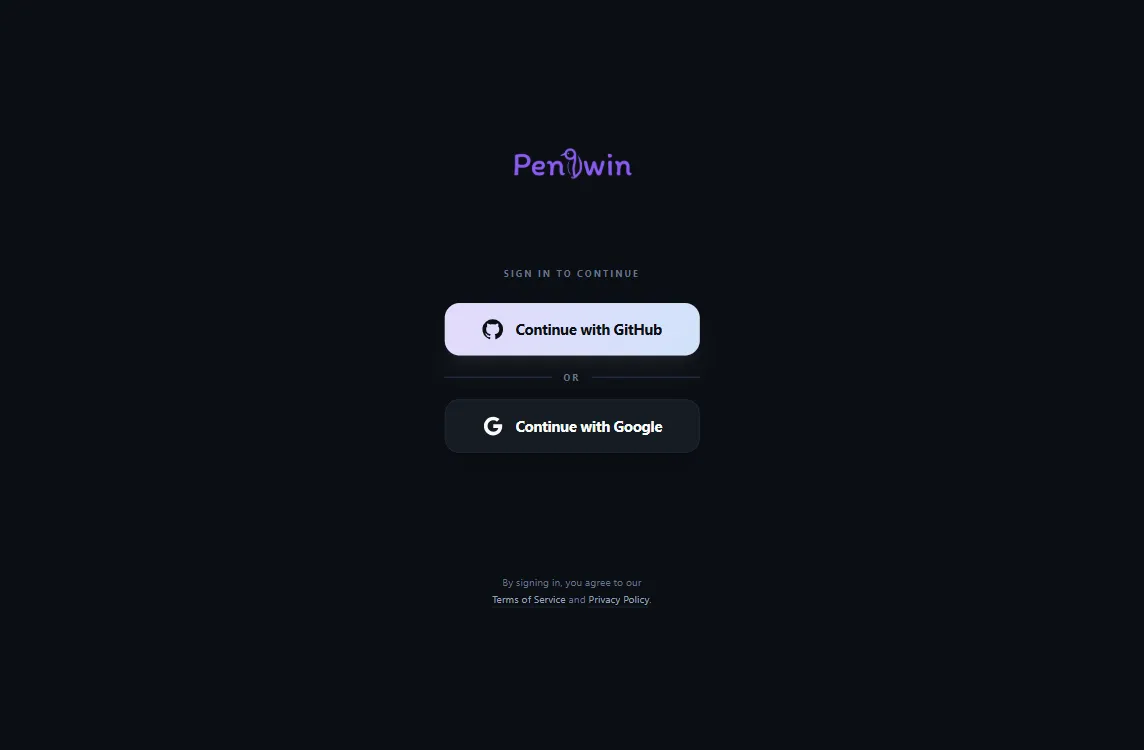
To get started, authenticate with your secure account at app.penqwin.com. Penqwin offers dual OAuth options tailored to different workspace roles:
Associates your account with your GitHub profile. Essential for developers, managers, and admins who need write access, branch syncs, and PR documentation generation.
Ideal for product managers, writers, view-only stakeholders, and team members who only need read access, workspace navigation, or team administration.
Create a New Organization
If you are setting up Penqwin for your company, team, or personal projects for the first time, you will start by creating a new Organization. Organizations serve as the top-level home for your documents.
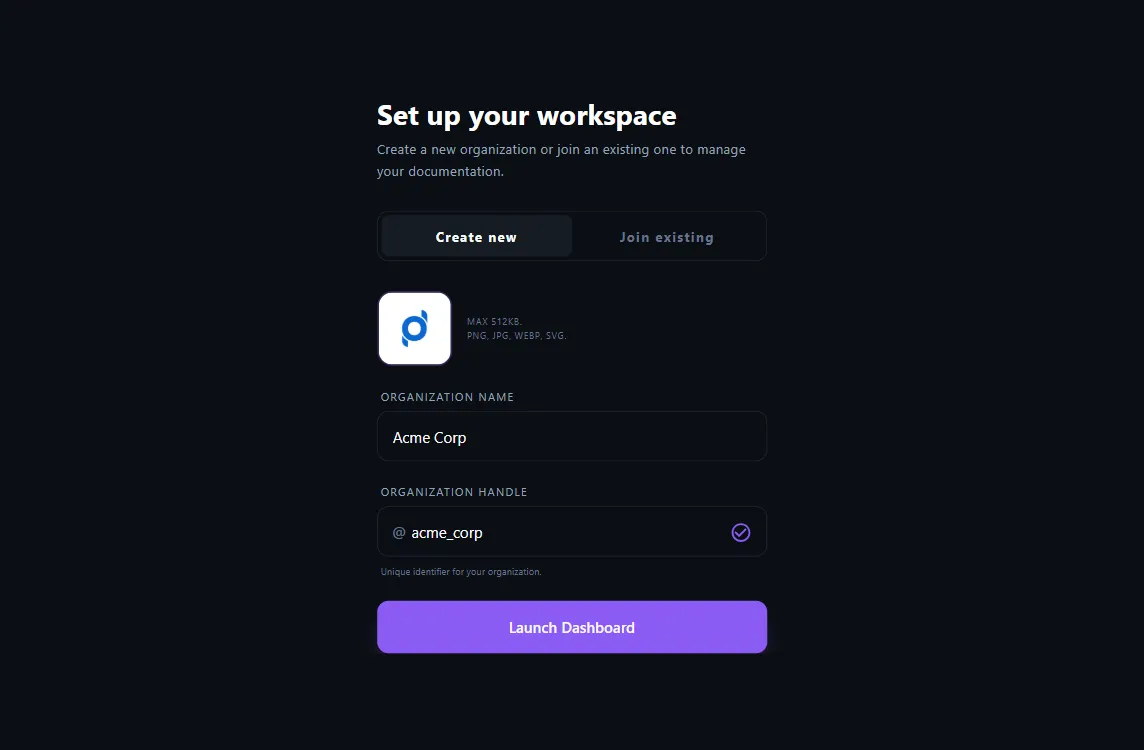
To create an organization:
- Navigate to the "Create new" section on workspace setup page.
- Upload workspace logo and enter workspace name.
- Enter workspace handle, it should be unique.
- Click "Launch Dashboard" to initialize your workspace. Once initialized, you can begin connecting your source code repositories.
Join an Existing Organization
If your team or company has already set up a Penqwin workspace, you do not need to create a new organization. Instead, you can join the existing organization to access shared code documentation.
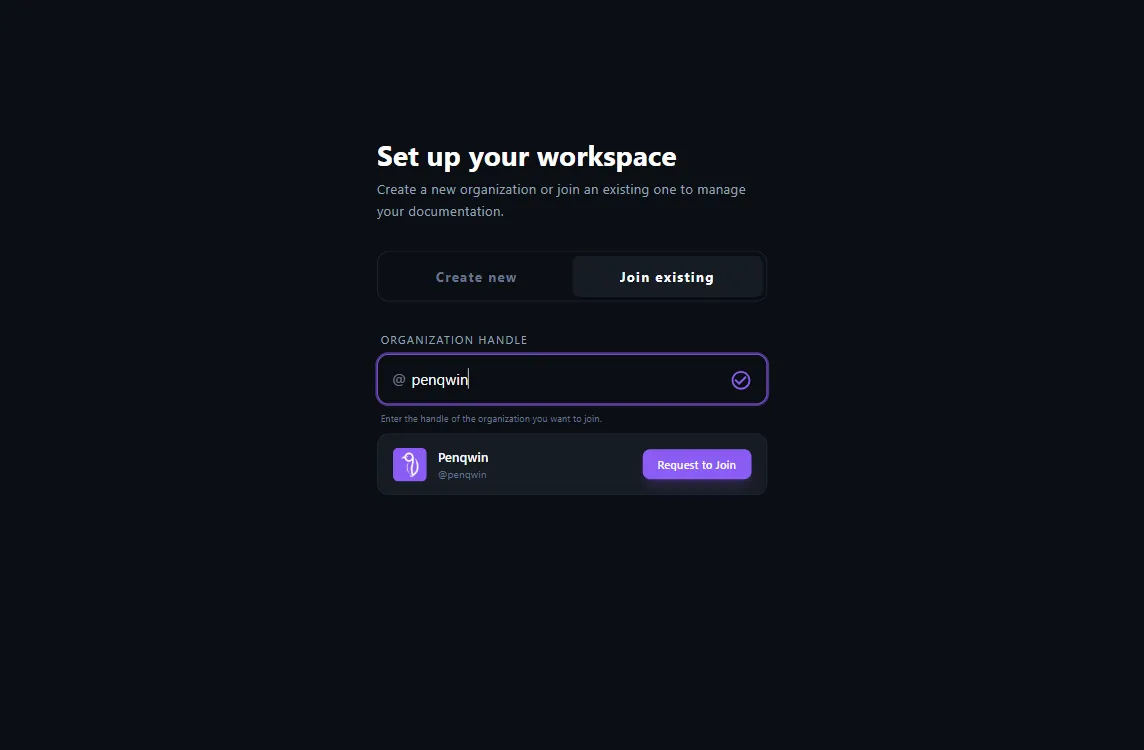
To join an organization:
- Search for your workspace handle.
- Click the Request to Join button.
- The workspace admin receives your join request. once approved, you will be able to access the workspace.
GitHub Integration & Security
Penqwin leverages a highly secure, event-driven architecture using native GitHub Apps. This ensures minimal, targeted read permissions and instantaneous synchronization of documentation with your codebase branches.
Least Privilege Security Policy
We value security above everything else. Penqwin is structured to request the minimum permissions needed to generate high-fidelity summaries.
We only scan repository structure, paths, and metadata configuration files (like package.json, Cargo.toml) to map architecture.
PR code diff contents are evaluated on merge events to update documentation sections, then promptly purged from cache.
Requested Permissions & Access Details
| Permission | Type | Reason |
|---|---|---|
| Repository Metadata | Read-only | Used to discover folder structures, file structures, and detect config files. |
| Pull Requests | Read & Write | Used to detect pull request events, view branch changes, and post PR comments/updates. |
Repository Bootstrapping
Bootstrapping parses your entire codebase root to produce a comprehensive starter technical workspace. Rather than writing documentation from scratch, our agents map your codebase directory outline, discover API endpoints, and establish architectural modules.
Running Bootstrapping
- Navigate to the settings → Integrations tab.
- Select the repository you want to bootstrap.
- Click on Bootstrap Repo button.
- The agent indexes your entire codebase root to produce the structured engineering documents.
- Once the initial bootstrapping is done, you can review the updated documents in the sidebar under Code Reference folder.
Document Updation & Sync Loop
Ensure your engineering documentation stays in sync with your codebase evolution. Penqwin analyzes pull request diffs, parses modified files, and drafts surgical updates to your documents, allowing you to review and accept or reject adjustments before they are applied.
Sync docs
- Click the Update Docs button in sidebar.
- Enter the code change (pull request/merge) url.
- Click on Generate button.
- The agent processes the code changes and surgically updates the relevant sections of the engineering documents for review.
- Once the doc generation is done, you can review the changes and accept or reject them.
- On accepting, the changes are applied to the documentation.
Team Management & Collaboration
Engineering docs are dynamic assets for the whole company. Penqwin makes it straightforward to add, manage, and configure team members with customizable workspace permissions.
Workspace Roles
| Role | Permissions |
|---|---|
| Admin | Full workspace control, repo configuration, Billing, team member invites and deletion. |
| Editor | Write and modify workspace pages, trigger manual synchronizations, add integration webhooks. |
| Viewer | Read access to workspace documentation, export documents, search files and API schemas. |
Notification Integrations
Keep developers updated on doc revisions:
- Webhook Setup: Inside workspace settings, provide a Slack or Discord incoming webhook URL.
- Automatic Alert: Every time a PR merges and docs sync successfully, Penqwin posts a summary changes card directly into your chat workspace.